If you ask an IIoT operations team about their worst phone call, it’s rarely about a single device going offline. The real trouble starts when an entire site goes dark, the usual tools can’t help, and someone has to quickly figure out whether the issue can be fixed remotely or if a technician needs to be sent on-site.
 This is when secure remote access becomes essential. It’s not only about making updates from your desk. It’s about maintaining visibility and control when the network is down, the operator isn’t on site, the customer wants an update and the next step could either solve the problem or make the outage worse.
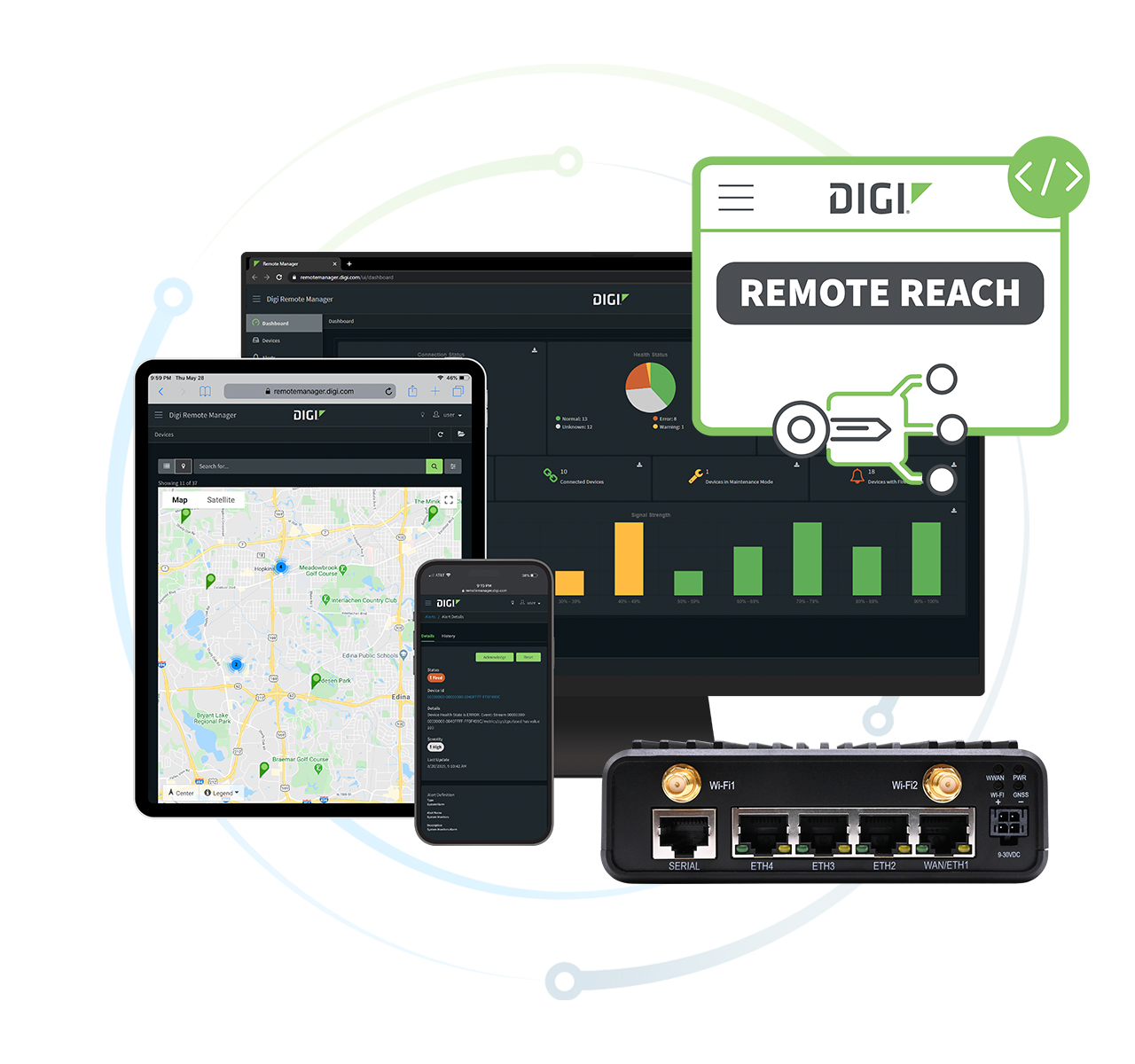
Digi Remote Reach was designed for exactly these situations. It’s a browser-based remote access feature in Digi Remote Manager (DRM) that lets you connect to any device behind a Digi cellular router.
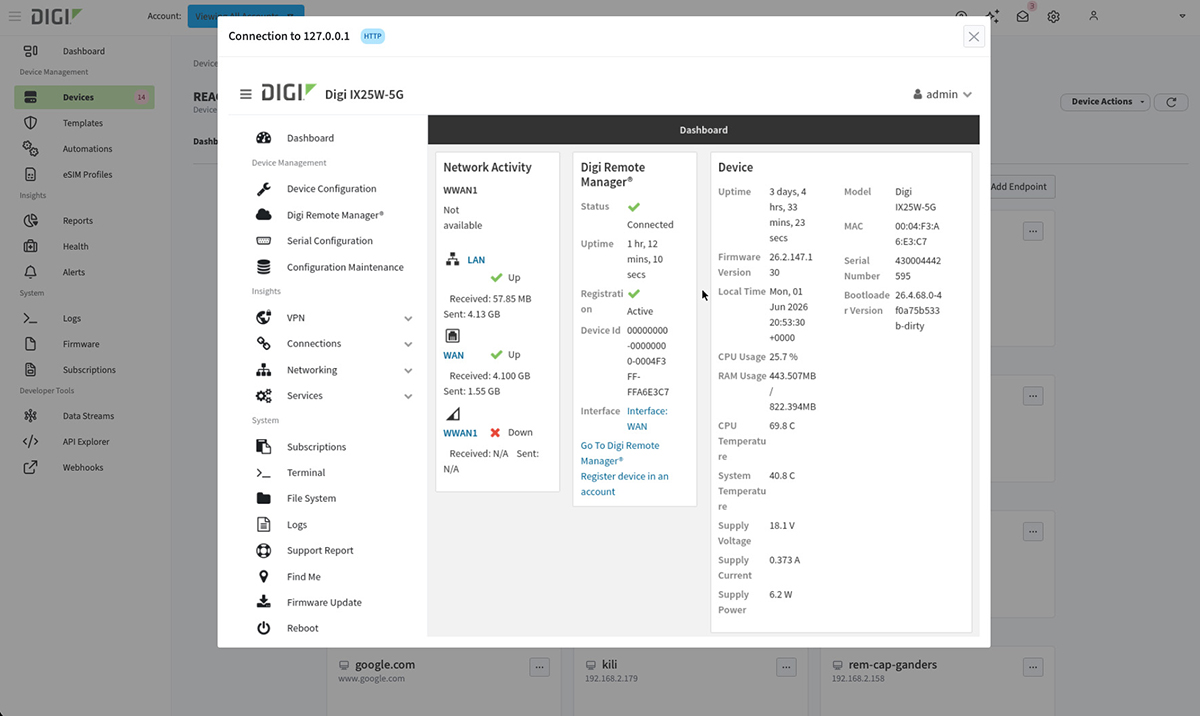
Whether you're troubleshooting a server, workstation, panel PC or industrial controller, Digi Remote Reach provides a direct path to the device. For example, Digi Remote Reach allows you to SSH a Linux box, RDP a Windows machine, VNC a panel PC, access an HTTP/S admin page or open a serial console to a PLC, an RTU or any controller that doesn't use IP.
There’s no need to install an agent on your laptop, no extra client and no additional licenses. You just use the browser tab you already have open in Digi RM.
There are three key architectural choices behind Digi Remote Reach. Individually, they solve different problems. Together, they’re what make remote access available when a site is down, connectivity is disrupted and time matters most.
Get Our Solution Brief
Learn about a hands-off approach to security fixes
Download PDF
A Path That’s Actually Independent
A Digi cellular router provides a site with a second connection that works independently from the main WAN. If the fiber is cut, the firewall freezes, or the carrier circuit fails, the cellular link still works.
That resilience is a key reason organizations deploy Digi cellular routers. Remote access builds on that same foundation, giving operators secure access to devices through a path that's already in place.
In some deployments, that connectivity serves as a backup path. In many industrial environments, however, the Digi router is the primary network connection. There's often no fiber at places like lift stations, substations or transit yards. In these cases, cellular isn't just a backup. It's the only connection. The need for resilience shifts to making sure the cellular path and its management stay up and running.
That’s why our devices come with an eSIM bootstrap profile. If a customer’s main carrier has issues or goes offline, the Digi device can still be reached by Digi RM using the bootstrap profile. This feature often goes unnoticed until it’s needed.
The connection needs to be ready before an incident happens, not set up afterward. Digi Remote Reach is built into Digi Remote Manager. There’s no separate product, console or extra purchase required. If your devices are in Digi RM, you already have out-of-band access.
One Console for the Network and the Devices on It
Many people managing distributed infrastructure use two or three different management tools at once — one for the cellular network, a second for other devices and sometimes a third for specific protocols. Each tool has its own login, audit process and often outdated information. This fragmentation isn’t obvious day-to-day. It’s a tax that compounds during incidents.
DRM already manages the network — routers, firmware, configurations and connectivity. Digi Remote Reach brings device management into the same console. Same browser tab, same identity, same audit trail. We also included serial console support because if you can’t reach a PLC or RTU that doesn’t use IP, you’re only managing the part of your network that was already working.
The newest control system in a plant is often ten years old, and the oldest might be older than the engineer using it. Managing both old and new systems together in one place is what makes a console truly unified, not just two products with a shared menu.
Peer-to-Peer, on Purpose
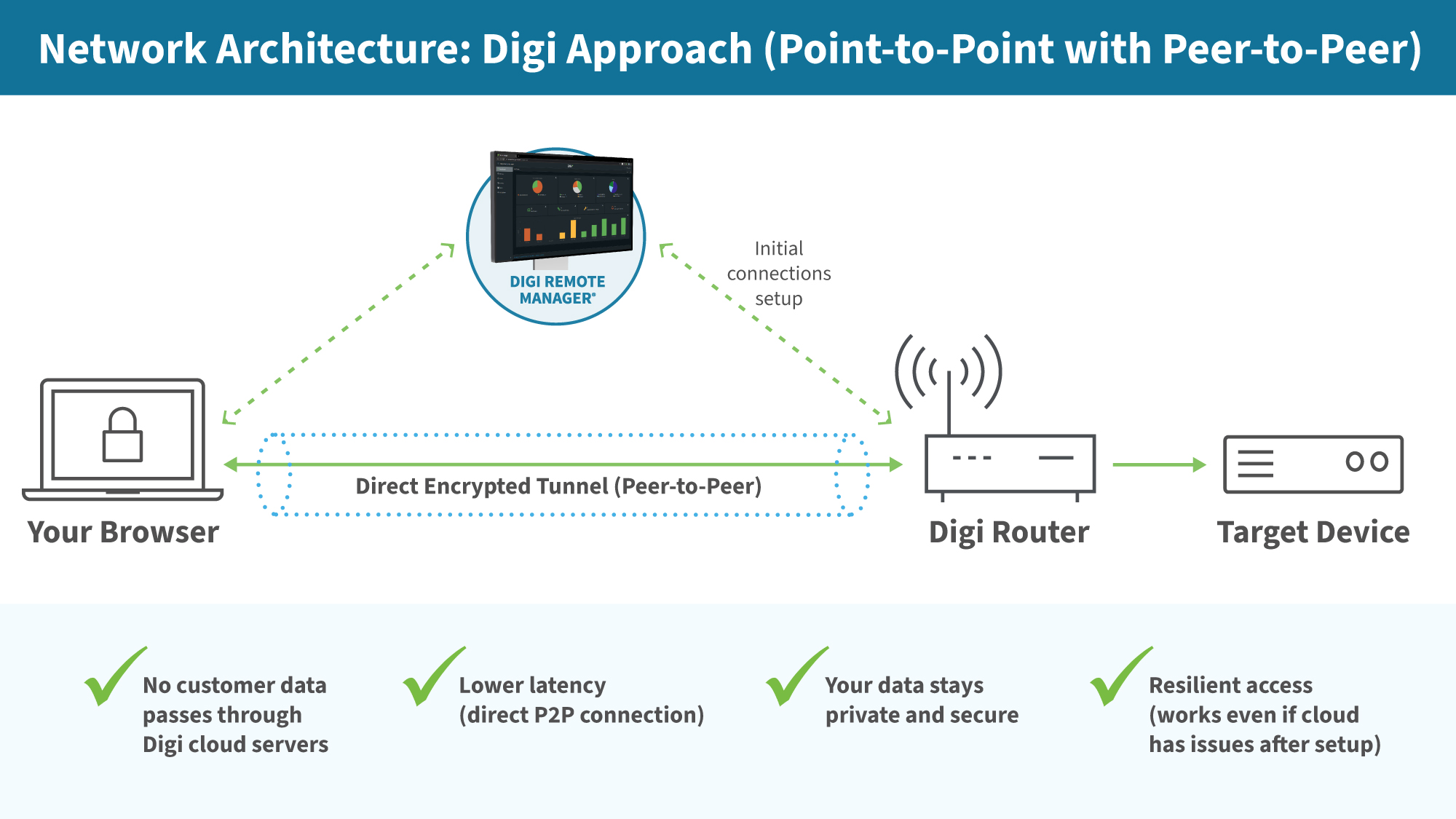
The third choice is the architecture itself: peer-to-peer connectivity. When an operator opens a session in Digi Remote Reach, the secure connection is established directly between their browser and the device, through the cellular router. Digi is not in the data path. Digi RM authenticates the operator and brokers the introduction, then steps out of the way. Once the session is up, the bytes flow between two endpoints, and neither of those endpoints is Digi.
That’s the opposite of how most remote-access products work. The standard pattern in this market is to proxy every session through the vendor’s cloud, so diagnostic traffic, RDP frames and serial bytes all ride a vendor’s infrastructure on the way from your operator to your device.
Two things follow from doing it the direct way.
- Performance is predictable. A connection that hops through a vendor’s cloud inherits that cloud’s load curve. The day your operator most needs the session to be responsive — multiple sites down, the customer waiting on an update, the truck two hours out — is the same day every other customer is also driving traffic through that vendor's infrastructure. Shared infrastructure means shared bad days. A direct path doesn’t have that problem because there’s nothing shared between you and the device but the router you already own.
- The security perimeter is the one you already trust. The data path matches the trust path: from your operator, through your router, to your device. No third party logs the session content. No shared tenant boundary to reason about during an incident review. For organizations that have to answer to NERC CIP, IEC 62443 or an internal OT segmentation policy, that’s the difference between a tool that gets used and a tool that gets approved. I’ve sat in enough audit reviews to know which architectures pass on the first try, and which ones come back with thirty pages of follow-up questions.
The Bad-Day Product
When a site is down, the operator is offsite and help is hours away, the details matter. That's why Digi Remote Reach was built around three core design principles: an independent connection, a unified console and sessions that only use the customer's own infrastructure.
 Remote access might seem like just another feature during a demo, but it becomes a critical architecture decision the first time you really need it.
The best time to prepare for a bad day is before it happens. See how Digi Remote Reach delivers secure, browser-based access when connectivity and control matter most.
Frequently Asked Questions About Remote Management – Beyond the Router
What is a remote management solution for IT and OT environments?
A remote management solution is a platform that enables IT and OT teams to monitor, access, troubleshoot, configure, and maintain network-connected devices from a central location. These solutions help organizations manage routers, industrial controllers, servers, workstations, panel PCs, and other connected assets without requiring on-site visits.
Today, most of these solutions are limited in what devices they can access and control. Digi Remote Reach changes that, extending the reach beyond the router to all devices connected to it.
How can IT and OT teams remotely manage devices connected to a router?
IT and OT teams can remotely manage devices connected to a router by using a secure remote access solution like Digi Remote Reach that provides connectivity through the router to downstream devices. This approach allows administrators to access devices using protocols such as SSH, RDP, VNC, HTTP, HTTPS, and serial communications from a centralized management platform.
Why is remote access important for industrial and distributed operations?
Remote access is important because it allows teams to diagnose and resolve issues quickly, even when personnel are not on-site. Secure remote access reduces downtime, minimizes truck rolls, improves operational efficiency, and enables organizations to maintain visibility and control across distributed locations.
What types of devices can be managed through a remote management platform?
A remote management platform like Digi Remote Manager with Digi Remote Reach can provide access to a wide range of devices, including industrial controllers, PLCs, RTUs, servers, workstations, panel PCs, networking equipment, and serial devices. This enables IT and OT teams to manage both modern IP-based systems and legacy operational technology from a single interface.
How does remote management improve operational resilience?
Remote management with a solution like Digi Remote Reach improves operational resilience by giving teams a secure way to access and troubleshoot devices during network outages or service disruptions. Organizations can continue managing critical infrastructure even when primary connectivity paths are unavailable.
Can a remote management solution provide access when the primary network connection fails?
Yes, remote management solutions like with Digi Remote Reach that leverage cellular connectivity can provide access when a primary WAN connection fails. A cellular router can maintain an independent communication path, allowing administrators to continue managing devices and investigating issues remotely.
What are the benefits of managing routers and connected devices from a single platform?
Managing routers and connected devices from a single platform simplifies operations by providing one interface for monitoring, configuration, troubleshooting, and auditing. A unified platform reduces complexity, improves visibility, and helps teams respond to incidents more efficiently.
How does remote device management reduce the need for on-site service visits?
Remote device management allows technicians and administrators to diagnose problems, update configurations, restart services, and access device consoles without traveling to a location. This reduces operational costs, shortens response times, and limits disruptions to business operations.
Is remote management suitable for both IT and OT teams?
Yes, remote management solutions are designed to support both IT and OT teams. They provide secure access to networking infrastructure as well as industrial equipment, enabling cross-functional teams to collaborate more effectively while maintaining appropriate security controls.
What security features should organizations look for in a remote management solution?
Organizations should look for features such as strong authentication, encrypted communications, role-based access controls, audit logging, and secure remote access architecture. These capabilities help protect critical systems while ensuring authorized personnel can access devices when needed.
How does peer-to-peer remote access improve security and performance?
Peer-to-peer remote access enables a direct connection between the user and the managed device instead of routing session traffic through a third-party cloud service. This architecture can improve performance by reducing latency and can enhance security by keeping session data within the organization's trusted infrastructure.
Can remote management solutions support legacy industrial devices?
Yes, many remote management solutions support legacy industrial devices through serial console access and other industrial communication methods. This capability allows organizations to manage older equipment alongside newer IP-connected assets without requiring significant infrastructure changes.
What industries benefit most from remote management solutions?
Industries such as manufacturing, utilities, energy, transportation, water and wastewater, smart cities, and critical infrastructure benefit significantly from remote management solutions. These organizations often operate distributed assets that require reliable remote visibility and control.
How does remote management help reduce downtime?
Remote management helps reduce downtime by enabling teams to identify, diagnose, and resolve issues faster. Immediate access to routers and connected devices allows organizations to address problems before they escalate into prolonged outages.
What should organizations consider when choosing a remote management solution?
Organizations should evaluate connectivity resilience, security architecture, device compatibility, centralized management capabilities, ease of deployment, auditability, and support for both IT and OT environments. Selecting a solution that provides secure access to all devices connected to a router can help improve operational efficiency and business continuity.
Next Steps