Below is a list of methods to locate the type of cellular radio (AKA cellular modem module) that is installed within your Digi device that's running the DAL Operating System.
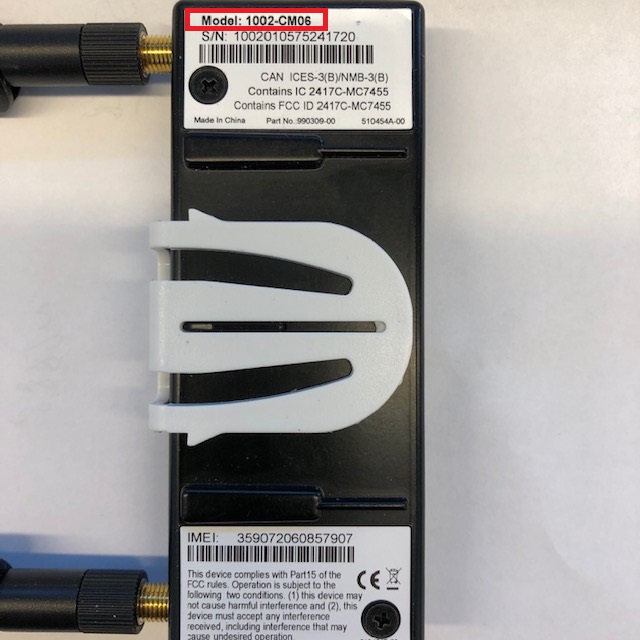
CORE modem (if applicable)
aView (obsolete)
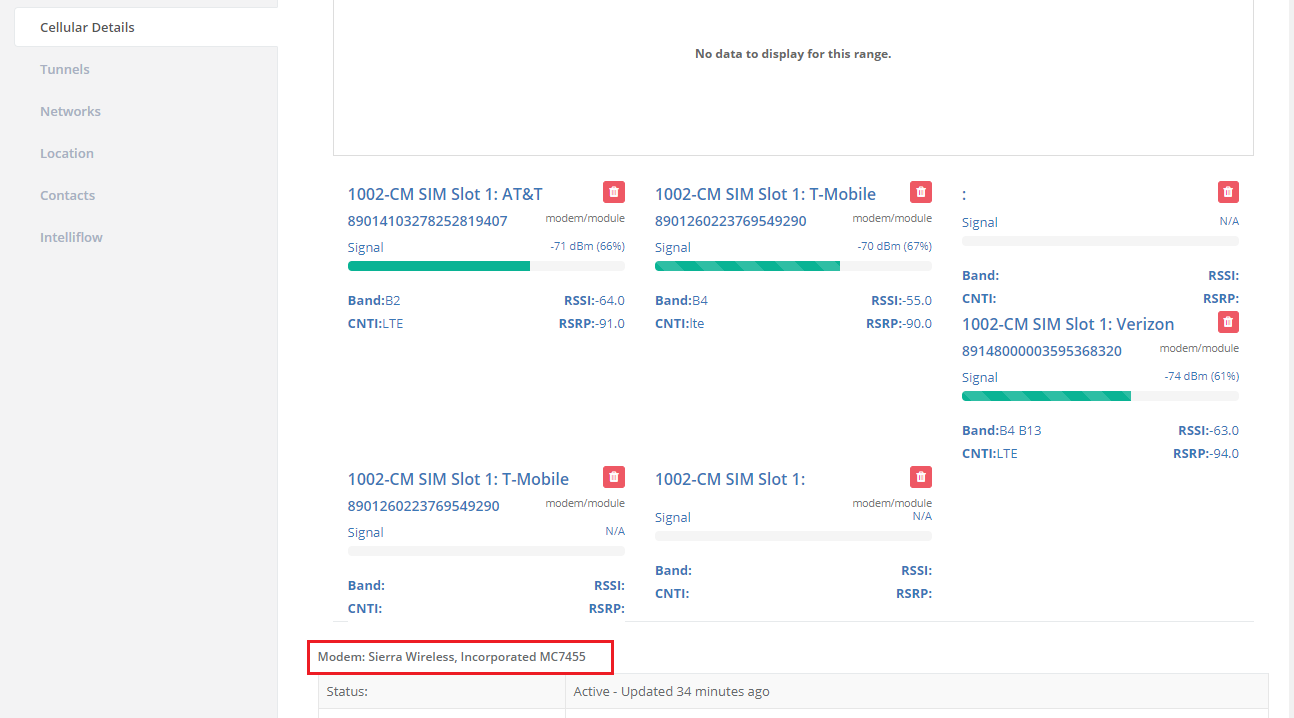
Under Cellular Details, you will note Modem.
Digi Remote Manager
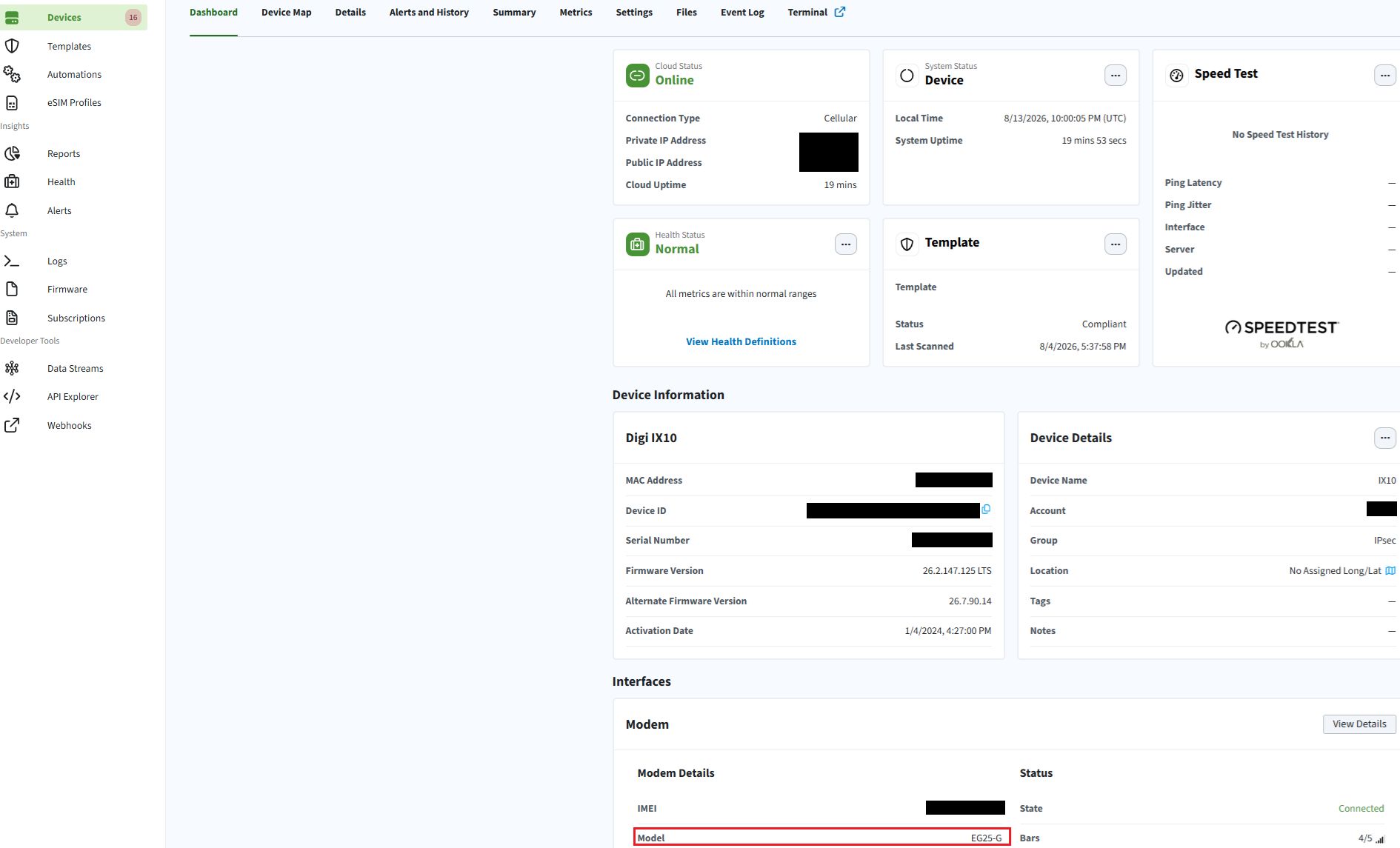
Navigate to Devices, search for the device in question, select the device in question, and then note the model of the cell modem within the Interfaces > Modem area:
webUI of a DAL-based device (IX10 running system firmware 26.2.147.125)
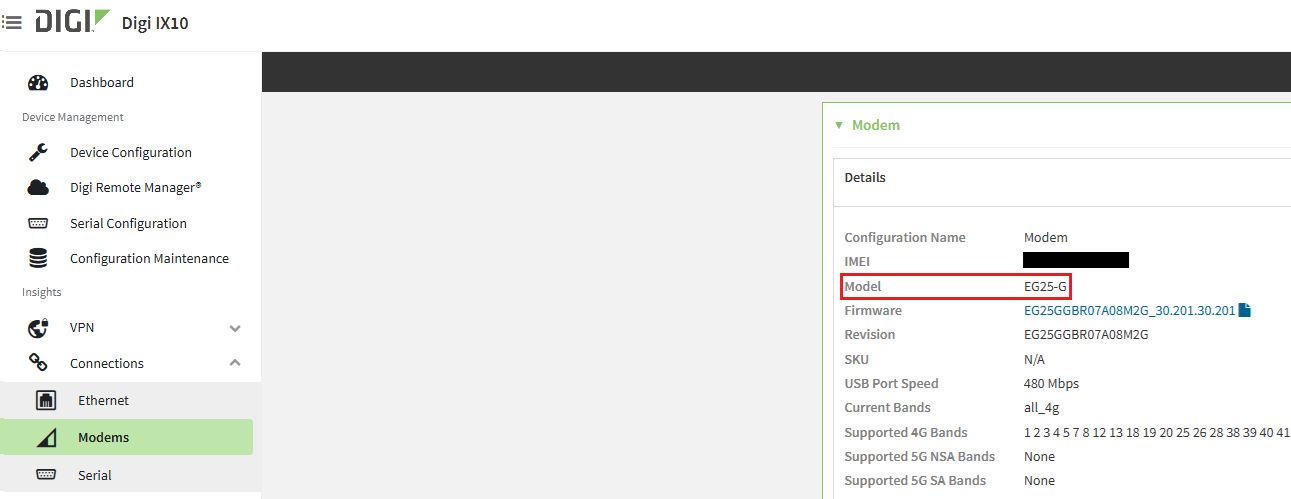
Navigate to Connections > Modems and then note the model of the cell modem in the Details area:
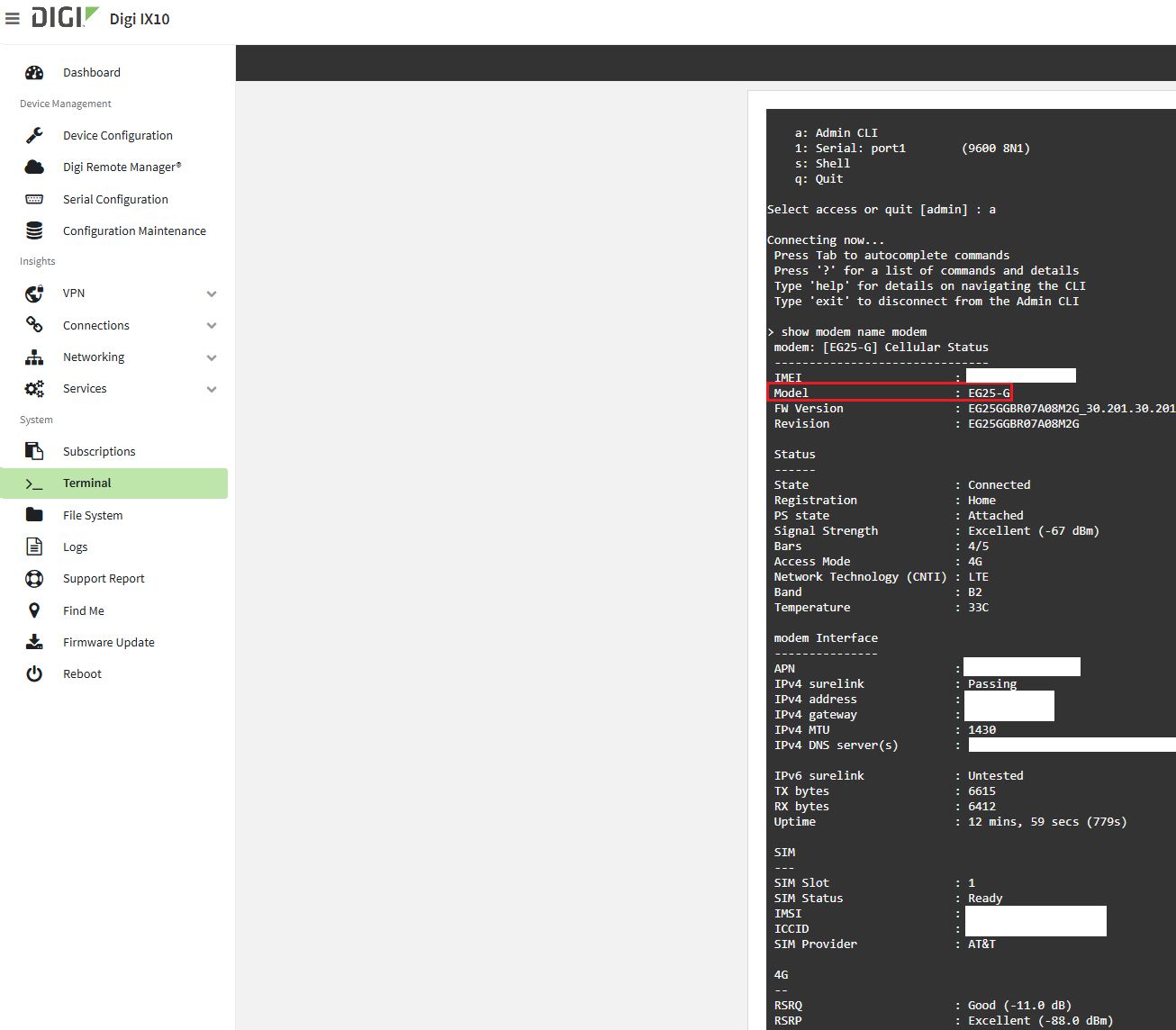
DAL Admin CLI
Enter the following command:
show modem name modem
Note: Some DAL devices use names other than 'modem' (e.g. wwan1). The show modem name ? command will show you what the name of the available modem(s) are.
Last updated:
Aug 13, 2026