Summary
Deploying AI quality control on the factory floor is more complex than training a model — it requires custom datasets, careful hardware selection, and robust edge infrastructure. Digi International's ConnectCore 95 SOM, paired with Digi ConnectCore Cloud Services, provides a complete platform for machine vision inspection: from NPU-accelerated inference and containerized model packaging to over-the-air updates, remote monitoring, and a continuous improvement loop that keeps models accurate as real-world conditions change.
Manufacturers are under pressure to catch defects faster, reduce waste, and keep production lines moving without adding headcount. AI quality control software for manufacturing has emerged as the most practical answer to that pressure. However, getting it to work reliably on the factory floor is harder than most teams expect.
The challenge is not building a model that detects defects. Most teams can do that in a controlled environment. The challenge is deploying that model to embedded hardware at the edge, keeping it accurate as production conditions change, and managing it across a fleet of devices in multiple facilities without a data scientist on-site at every location.
A recent Digi International webinar, "Closing the Edge AI Gap: From Model Training to Real-World Deployment," addressed this problem end to end. Presented with RBZ Robot Design, the session used a live automated visual inspection system running in a bakery in Valencia, Spain to show every stage of the deployment process, from data collection through OTA model updates in the field. This post uncovers the key lessons and applies them to industrial quality control deployments.
Key Takeaways:
- Reaching the 95%+ accuracy threshold required for manufacturing quality control requires a custom dataset built from your actual production environment, not generic open-source images.
- The training framework you choose should be driven by the accelerator you plan to run inference on. Changing frameworks mid-project is costly.
- Quantization reduces model size by roughly 4x and dramatically speeds up inference, but introduces 5 to 10% accuracy loss. Quantization-aware training is the most effective way to manage it.
- Inference performance varies dramatically by hardware tier. The internal NPU on Digi ConnectCore 95 delivers roughly 27x faster inference than the CPU, while the external RBZ ARA240 accelerator brings that down to under 2 milliseconds.
- Containerization makes edge AI deployments portable, versioned, and updatable without touching the application layer above.
- Digi ConnectCore Cloud Services provides OTA model updates, remote monitoring, and a continuous improvement loop that scales from one device to thousands.
- The Digi ConnectCore 95 is designed with an upgrade path built in. Moving from the internal NPU to an external accelerator requires a container update, not a hardware replacement.
What AI Quality Control Systems Actually Requires in Manufacturing
 AI-powered quality control in manufacturing relies on machine vision: cameras monitor the production line, and a trained model analyzes each frame to classify products and flag defects. It sounds straightforward. In practice, it demands a tightly coordinated stack of hardware, software, and operational infrastructure.
Traditional automated inspection systems often relied on PC-based compute. That approach works, but it is expensive per unit and difficult to maintain and scale. Embedded edge AI changes the economics. The inference runs locally on an embedded device with dedicated AI silicon. The system is physically compact and built for industrial use.
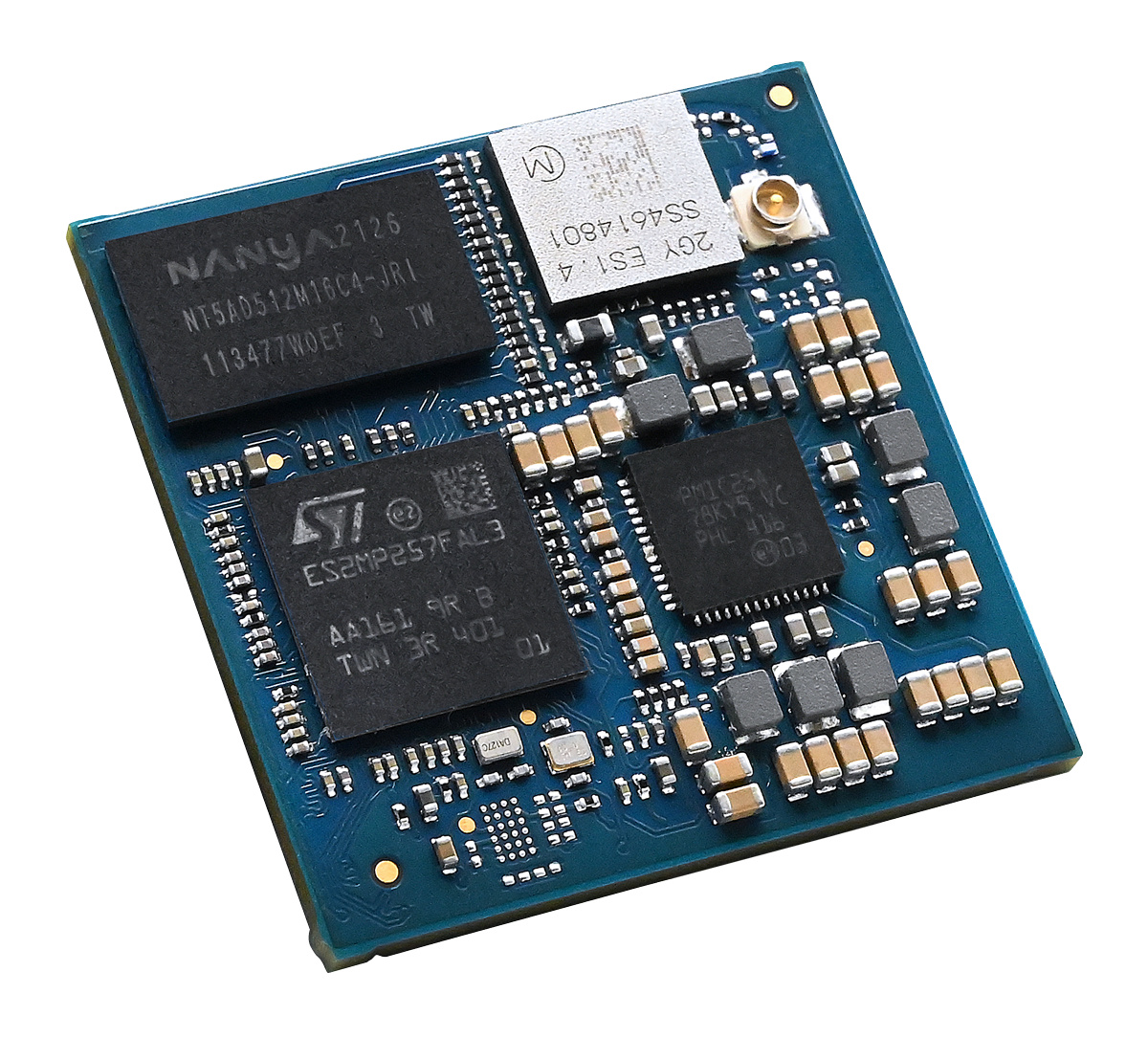
The Digi ConnectCore 95 SOM is built for exactly this use case. Based on the NXP i.MX 95 processor, Digi ConnectCore 95 provides everything an OEM needs to build a production-ready machine vision inspection system, including high-performance Cortex-A55 cores, an integrated neural processing unit (NPU), an image signal processor (ISP), and support for up to eight camera inputs. A PCIe bus also allows connection of external neural network accelerators for applications that need higher AI throughput, as demonstrated in the bakery inspection deployment using the RBZ ARA240 module.
The Full AI Quality Control Development Workflow
Understanding the complete workflow is essential for teams planning their first edge AI deployment. The following steps reflect the actual process used in the RBZ Robot Design bakery project. On a high level, they also apply to other AI quality control system deployments in manufacturing.
1. Data Collection and Annotation
This step is where most projects underestimate the effort required. Open-source image datasets can produce models that reach 75 to 80% accuracy, but manufacturing quality control typically requires 95% or higher. Reaching that threshold means building a custom dataset that reflects the actual production environment: your products, your lighting, your defect types.
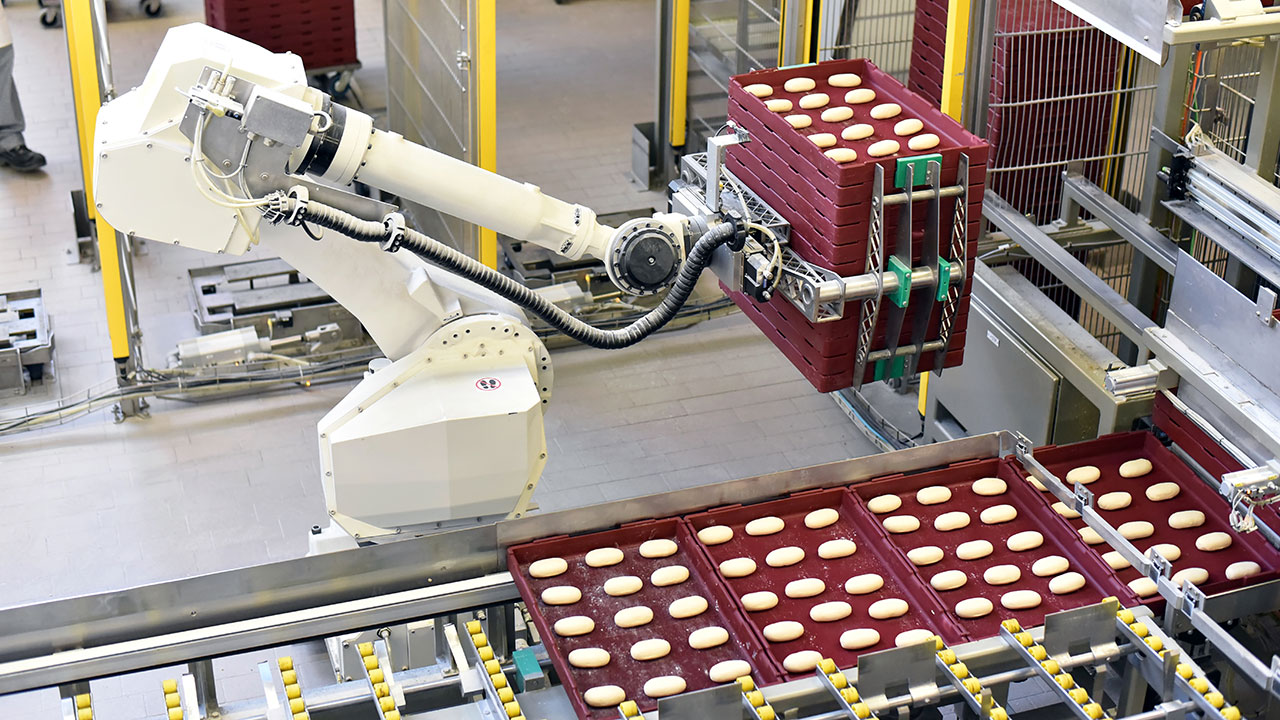
The bakery project took several months to collect usable data. The facility produces different types of bread on different days based on demand, so the dataset had to cover a wide range of products and conditions. That required weeks of continuous video recording on-site, followed by frame extraction and manual labeling in collaboration with bakery staff who could identify what actually constituted a defect.
The practical lesson: data collection should start earlier than feels necessary, and teams should plan from day one for the dataset to evolve as devices in the field surface new edge cases.
2. Training Framework Selection
The framework used to train the model should be chosen based on where it will ultimately run. If the target accelerator requires TensorFlow Lite, training in TensorFlow from the start avoids a difficult conversion later. Accelerators that accept ONNX or PyTorch have other options.
For the bakery inspection system, RBZ Robot Design selected PyTorch and ONNX because they could target both the CPU and the external ARA240 accelerator. A separate TensorFlow model was built to validate against Digi ConnectCore 95's internal NPU. The framework decision shaped every downstream step, and reversing it mid-project would be costly.
3. Cloud Model Training
GPU-based cloud training typically produces a floating-point model. This step is the most familiar part of the pipeline for most AI teams, but one discipline that consistently gets skipped is checkpoint registration. Every training run, including its hyperparameters and results, should be logged and stored. When a model starts to drift in the field six months after deployment, the ability to trace the issue back to a specific training state is invaluable.
4. Model Optimization for Edge Inference
This is the step that separates edge AI from cloud AI. Models running on an embedded NPU must be quantized from 32-bit floating point to 8-bit integer representation. The payoff is significant: roughly 4x reduction in model size, lower memory bandwidth requirements, and faster inference. But quantization introduces accuracy loss of 5 to 10%, and sometimes more.
The most effective way to manage that loss is quantization-aware training, which modifies the training process itself to account for the precision reduction that will happen at inference time. For the NXP i.MX 95 and the Digi ConnectCore 95 platform, NXP's eIQ software framework provides the complete tool chain: quantization, accuracy recovery, and inference deployment across all three compute tiers.
One architecture principle that held true in the bakery project: smaller models quantize more cleanly than larger ones. Splitting a complex task into two lighter models, e.g. one for localization, one for classification, can be easier to optimize for the edge than building a single model that handles both.
5. Container Packaging
Once the model is optimized, it is packaged into a container alongside its inference runtime, dependencies, and configuration. Containerization is now standard practice for production edge AI. The container is portable, versioned, and reproducible. It also decouples the application layer from the inference layer: if the target accelerator changes from the internal NPU to the ARA240, a container swap handles the transition without touching the application above it.
Digi ConnectCore Cloud Services supports LXC, Docker, and Podman container formats. The packaged container is pushed to the cloud-based repository, where it becomes the artifact that gets deployed, monitored, and updated across the device fleet in the field.
Choosing the Right Inference Hardware
A significant finding from the bakery inspection demo was how dramatically inference performance varies across different inference hardware tiers and how the right choice depends on the application or use case. The following figures come from the live demonstration, using the same model across all three configurations.
| Accelerator |
Inference Time |
Best Fit |
| CPU (NXP i.MX 95) |
1.6 seconds |
Prototyping; small trigger models |
| Internal NPU (NXP Neutron, 2 TOPS) |
60 milliseconds |
Most industrial inspection applications |
| External NPU (RBZ ARA240, up to 16 TOPS) |
1.8 milliseconds |
High-throughput, multi-model, or growth-oriented deployments |
The CPU is the right starting point during development. It is fast to iterate on and requires no special optimization. The internal NPU on Digi ConnectCore 95 delivers a roughly 27x improvement over the CPU, which is sufficient for many automated quality inspection use cases. The RBZ ARA240 provides up to 40 TOPS with 16 GB of dedicated RAM over PCIe, and it can support large language models in addition to vision workloads. This is a meaningful consideration for teams building toward agentic manufacturing systems.
Accuracy was consistent across all three configurations in the bakery demo. The quantization approach maintained consistent results whether running on the CPU, the internal NPU, or the ARA240. The application layer had no visibility into which accelerator was in use.
A practical deployment path: ship initial devices using the internal NPU, with the ARA240 slot available on the Digi ConnectCore 95 based hardware. When AI requirements grow, for example with more models, larger models, and higher throughput, deploying the external accelerator requires a container update rather than a full hardware replacement.
Fleet Management with Digi ConnectCore Cloud Services
 Deploying a single machine vision inspection system is manageable with manual processes. Deploying fifty across multiple facilities, with models that need to stay current as products and defects evolve, requires proper operational infrastructure.
Digi ConnectCore Cloud Services provides the MLOps backbone for production-scale edge AI deployments. Key capabilities include the following.
Over-the-air container updates. New model versions can be pushed to individual devices, device groups, or the entire fleet. Staged rollouts let teams validate a new model on a pilot group before rolling it out broadly. This also addresses the OTA software and security update requirements now embedded in cybersecurity regulations including the EU Cyber Resilience Act.
Remote monitoring and observability. Every deployed Digi ConnectCore 95 SOM reports operational telemetry to the cloud dashboard: CPU load, RAM usage, network IO, and application metrics. In the bakery demo, the dashboard showed frames per second, inference time per device, total scans, and defect detection rates, all accessible remotely. No technician visit required.
Continuous improvement loop. When a model starts to drift in the field — accuracy drops, new defect types appear, environmental conditions shift — devices can be configured to send operational data back to the cloud. That data feeds back into the training pipeline, a new model is trained and packaged, and the updated container is pushed to the fleet. This cycle can run identically whether the fleet has one device or thousands.
Compliance templates. The dashboard includes a template feature that defines minimum firmware and model versions. Devices check the template when they come online and update automatically if they are out of compliance. This is particularly useful for devices that may have been offline for extended periods and it keeps all devices compliant.
Security for Industrial AI Deployments
Industrial quality control environments require that only verified, signed workloads execute on production hardware. Unauthorized code on a device controlling or monitoring a production line is not an acceptable risk.
Digi TrustFence provides hardware-rooted security for Digi ConnectCore 95, ensuring only verified signed workloads can run. Digi ConnectCore Cloud Services is SOC 2 Type 2 certified, and all device-to-cloud communication uses certificate-based authentication and TLS encryption. These security capabilities are included with every Digi ConnectCore 95 SOM at no additional cost.
Getting Started
 Here are some great resources to get started on your AI/ML-based edge AI project:
Frequently Asked Questions About Edge AI Deployments
What is the minimum accuracy threshold for AI quality control in manufacturing, and how do I reach it?
Most manufacturing quality control applications require 95% accuracy or higher. Reaching that level requires a custom dataset built from your actual production environment, not generic open-source image datasets, which typically top out at 75 to 80% accuracy. That means collecting data on-site, covering your specific products, lighting conditions, and defect types, and labeling it in collaboration with staff who understand what constitutes a real defect.
How long does data collection typically take for an edge AI inspection project?
It takes longer than most teams expect. The bakery deployment described in this post required several months of data collection, including weeks of continuous on-site video recording. The timeline was extended by the fact that the facility produces different bread types on different days, requiring coverage of a wide range of conditions. Teams should start data collection earlier than feels necessary and plan for the dataset to grow over time as deployed devices surface new edge cases.
How much accuracy do I lose when optimizing a model for edge inference?
Quantization from 32-bit floating point to 8-bit integer, which is required to run models on an embedded NPU, typically introduces an accuracy loss of 5 to 10%, and sometimes more. Quantization-aware training, which adjusts the training process to account for that precision reduction upfront, is the most effective way to manage the loss. The bakery project maintained consistent accuracy across all three hardware configurations (CPU, internal NPU, and external NPU) using this approach.
What are the inference performance differences between the CPU, internal NPU, and external NPU on the Digi ConnectCore 95?
The differences are substantial. Running on the CPU (NXP i.MX 95) takes approximately 1.6 seconds per inference, which is appropriate for prototyping but too slow for most production inspection lines. The internal NPU (NXP Neutron, 2 TOPS) reduces that to about 60 milliseconds, a roughly 27x improvement that is sufficient for most industrial inspection use cases. The external RBZ ARA240 (up to 16 TOPS) brings inference down to approximately 1.8 milliseconds, suited for high-throughput or multi-model deployments.
Do I need to replace hardware if my AI requirements grow after initial deployment?
No. Digi ConnectCore 95 is designed with an upgrade path built in. Initial devices can ship using the internal NPU, with the PCIe slot available for the RBZ ARA240 external accelerator. When requirements grow, such as adding more models, larger models, or higher throughput, deploying the external accelerator requires a container update rather than a hardware replacement.
What training framework should I use for an edge AI project?
The framework should be chosen based on the accelerator you plan to run inference on. If the target hardware requires TensorFlow Lite, training in TensorFlow from the start avoids a difficult conversion later. For the bakery project, RBZ Robot Design selected PyTorch and ONNX to target both the CPU and the ARA240 accelerator, with a separate TensorFlow model built to validate against the Digi ConnectCore 95 internal NPU. Changing frameworks mid-project is costly, so the decision should be made early.
How do model updates get pushed to devices in the field?
Digi ConnectCore Cloud Services handles over-the-air (OTA) container updates. New model versions can be pushed to individual devices, groups of devices, or an entire fleet. Staged rollouts let teams validate a new model on a pilot group before broader deployment. Devices can also be configured with compliance templates that define minimum firmware and model versions, with automatic updates triggered when a device comes online and is found to be out of compliance.
What does the continuous improvement loop look like in practice?
When a deployed model starts to drift, whether from new defect types, product changes, or shifting environmental conditions, devices send operational data back to the cloud. That data feeds into the training pipeline, a new model is trained and packaged into a container, and the updated container is pushed to the fleet via OTA update. This cycle works the same whether the fleet has one device or thousands.
What security measures protect the AI workloads running on Digi ConnectCore 95?
Digi TrustFence provides hardware-rooted security, ensuring only verified, signed workloads can execute on the device. Digi ConnectCore Cloud Services is SOC 2 Type 2 certified, and all device-to-cloud communication uses certificate-based authentication and TLS encryption.
Why does the blog recommend splitting complex tasks into two lighter models rather than one larger model?
Smaller models quantize more cleanly than larger ones. A single model that handles both localization and classification can be harder to optimize for edge inference without meaningful accuracy loss. Splitting the task into two lighter models, one for localization and one for classification, tends to produce better quantization results and is easier to manage through the optimization process.