Adding or Deleting a user to your account
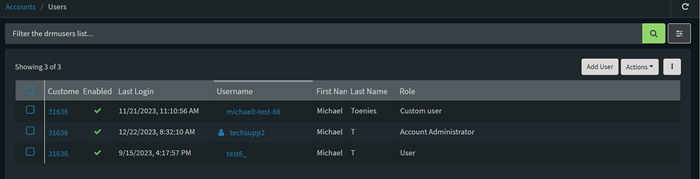
To add a user, log into the server, click on the settings icon on the top of the screen, then select Account Settings > Users. Click the “Add User” button and then enter in the necessary information.
Add or Remove an Device Cloud User
To remove a user, click on the settings icon on the top of the screen, then select Account Settings > Users, select the name and then select Actions > Remove.
Last updated:
Jan 01, 2024