When opening a case to Digi tech support related to a device running DAL OS (see Note1 below), it is particularly useful to include a support report file.
Support reports capture the device's complete configuration, log files and different status info (e.g. IPsec, routing, interfaces) of the device.
All those files are packaged into a .bin file, which provides a snapshot of the DAL device from the time the file is generated.
Support reports can be downloaded from the device's CLI, webUI, or from Digi Remote Manager as explained below.
CLI (e.g. SSH)
- Log in to the device via SSH using its default IP address 192.168.210.1
- On the Access Selection Menu, Select 'a' for the Admin CLI
- Type the following CLI command:
system support-report /tmp
- A new support report will be generated and saved to the /tmp folder, and the name of the file will be something similar to:
digi-support-0027043FCE7D-20.03.09-14.06.12.bin
- After the support report is generated, you could use an SFTP client (e.g. FileZilla), for example, to connect to the device from your PC, navigate to the /tmp directory of the device, and then transfer the file to your PC.
WEB UI
- Log into the IX10 WebUI as a user with full Admin access rights
- Navigate to Support Report on the left-hand side.
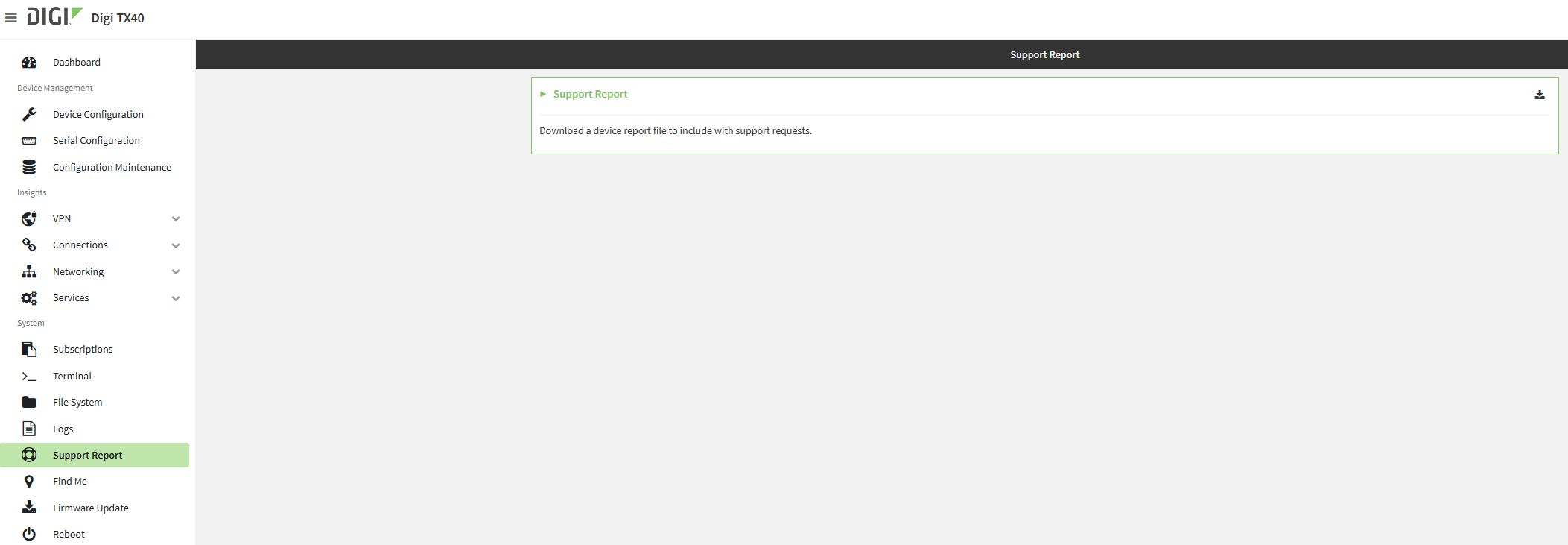
- Click the
 icon at the top-right to generate and download the support report:
The support report file will be then generated and downloaded to the default download folder of the browser.
Digi Remote Manager
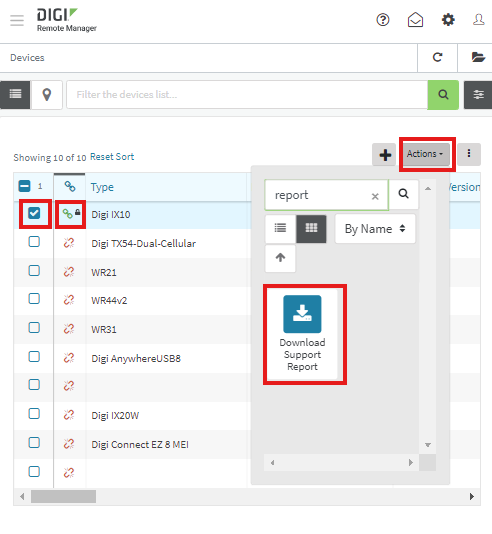
- Login into your Digi Remote Manager account with an Administrator user
- Select the device from the list (it must be in a connected state), then click on its Actions menu and select the “Download Support Report” action from the drop down menu (you can save time and search for "report" to immediately find it):
- Click on “Generate and Download”:
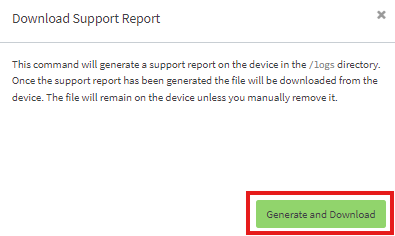
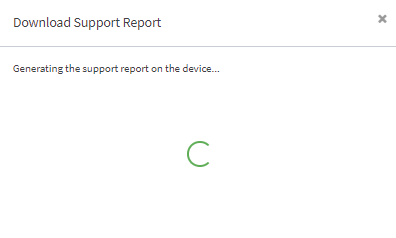
Then, it will be downloaded to the browser's default download location.
Note1: This is currently the list of devices based on the DAL operating system:
Note that the file name of a support report is based on the device's MAC address, and the current date & time, for example:

Sometimes (for example, when providing Digi tech support with multiple support reports for different devices/scenarios) it can be useful to rename a support report in a manner that they reflect some specific issue(.
Last updated:
Aug 11, 2026